Combining GPX and HRM Files into TCX Format

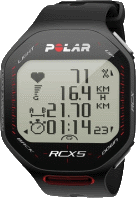
Three of the most common file formats for recording exercise data are HRM, GPX and TCX. HRM is an older proprietary, but open, standard created and maintained by Polar, which deals with heartrate information, as well as speed, cadence, altitude and power. GPX is another older standard which deals primary with geolocation data from GPS receivers. TCX is a newer format that effectively supports all that HRM and GPX support combined, and then some.
My shiny new Polar RCX5 (which I really like) happens to export data (via the Polar WebSync application) as separate HRM and GPX files (for legacy reasons, no doubt). Whereas Strava (which I also really like) supports GPX and TCX imports (amoung others). So of course, I can import my GPX files from the RCX5 to Strava pretty easily, however, that will provide Strava with no heartrate nor cadence data, since the GPX format does not support those.
So the question I faced was: how to combine the GPX and HRM files from my RCX5 to a single TCX file? Since I found no appropriate tools readily available, I wrote my own ;)
The Script
Now, the script I created in response to this question, is not overly featureful - it certainly does not cover every facet of any of the HRM, GPX or TCX standards. However, it does cover all that data from an RCX5 that I want to use :)
So without any further ado, here's the script:
# gpx2tcx.awk by Paul Colby (https://colby.id.au), no rights reserved ;)
# $Id: gpx2tcx.awk 301 2012-02-26 06:23:24Z paul $

BEGIN {
  # Skip to the HR data in the HRM file.
  DISTANCE=0 # Distance is *required* by the TCX format.
  FS="="
  while ((!FOUND_HRDATA) && (getline <HRMFILE > 0)) {
    if ($1 == "Version") {
      HRM_VERSION=$2
    } else if ((HRM_VERSION <= 105) && ($1 == "Mode")) {
      FLAG=int(substr($2,1,1)) # First integer flag (0, 1 or 3).
      HAVE_ALTITUDE=(FLAG == 1) ? 1 : 0
      HAVE_CADENCE=(FLAG == 0) ? 1 : 0
      IMPERIAL_UNITS=int(substr($2,3,1)); # Third bit flag (0 or 1).
    } else if ((HRM_VERSION >= 106) && ($1 == "SMode")) {
      HAVE_ALTITUDE=int(substr($2,3,1)) # Third bit flag (0 or 1).
      HAVE_CADENCE=int(substr($2,2,1))  # Second bit flag (0 or 1).
      HAVE_SPEED=int(substr($2,1,1))    # First bit flag (0 or 1).
      IMPERIAL_UNITS=int(substr($2,8,1)); # Eighth bit flag (0 or 1).
    } else if ($1 == "Length") {
      DURATION=$2
        } else if ($1 == "Interval") {
          HRM_INTERVAL=int($2)
        } else if ($1 == "[Trip]") {
          getline DISTANCE     <HRMFILE # We'll use this one :)
        if (IMPERIAL_UNITS > 0) DISTANCE=(DISTANCE*160.9344); # 1/10 miles to meters.
            else                    DISTANCE=(DISTANCE*100);      # 1/10 km to meters.
          getline ASCENT       <HRMFILE # Not used.
          getline TOTAL_TIME   <HRMFILE # Not used.
          getline AVG_ALTITUDE <HRMFILE # Not used.
          getline MAX_ALTITUDE <HRMFILE # Not used.
          getline AVG_SPEED    <HRMFILE # Not used.
          getline MAX_SPEED    <HRMFILE # We'll use this one :)
      if (IMPERIAL_UNITS > 0) MAX_SPEED=(MAX_SPEED*160.9344/60.0/60.0); # 1/10 mph to m/s.
          else                    MAX_SPEED=(MAX_SPEED*100.0   /60.0/60.0); # 1/10 km/h to m/s.
          getline ODOMETER     <HRMFILE # Not used.
    } else if (($1 == "[HRData]") || ($1 == "[HRData]\r")) {
      FOUND_HRDATA="$1"
    }
  }
  FS="[<>= \"]+"

  printf "<?xml version=\"1.0\" encoding=\"UTF-8\" standalone=\"no\" ?>\n\
<TrainingCenterDatabase xmlns=\"http://www.garmin.com/xmlschemas/TrainingCenterDatabase/v2\"\
 xmlns:xsi=\"http://www.w3.org/2001/XMLSchema-instance\"\
 xsi:schemaLocation=\"http://www.garmin.com/xmlschemas/TrainingCenterDatabase/v2\
 http://www.garmin.com/xmlschemas/TrainingCenterDatabasev2.xsd\">\n"

  printf "\n  <Activities>\n"
  if (!SPORT) SPORT=(HAVE_CADENCE) ? "Biking" : "Running";
  printf "    <Activity Sport=\"%s\">\n", SPORT
}

{
  if ($2 == "trkpt") {
    IN_TRKPT=1
    for (i=0;i<NF-1;i++) {
      if ($i == "lat") LATITUDE=$(i+1)
      if ($i == "lon") LONGITUDE=$(i+1)
    }
  } else if ($2 == "time") {
    if (IN_TRKPT) {
      printf "          <Trackpoint>\n"
      printf "            <Time>%s</Time>\n", $3
      printf "            <Position>\n"
      printf "              <LatitudeDegrees>%s</LatitudeDegrees>\n", LATITUDE
      printf "              <LongitudeDegrees>%s</LongitudeDegrees>\n", LONGITUDE
      printf "            </Position>\n"
      if ((HAVE_ALTITUDE == 0) && (ALTITUDE > 0)) {
          printf "            <AltitudeMeters>%f</AltitudeMeters>\n", ALTITUDE
          ALTITUDE=0
      }
      if (FOUND_HRDATA) {
        getline HRMDATA <HRMFILE ; split(HRMDATA, HRMFIELDS, "[\t\r]")
        if (HAVE_ALTITUDE > 0) {
          ALTITUDE=(HRM_VERSION <= 105) ? ALTITUDE=HRMFIELDS[3] : ALTITUDE=HRMFIELDS[2+HAVE_SPEED+HAVE_CADENCE];
          if (HRM_VERSION <= 102) ALTITUDE=(ALTITUDE*10);
          if (IMPERIAL_UNITS > 0) ALTITUDE=(ALTITUDE/0.3048); # feet to meters.
          printf "            <AltitudeMeters>%f</AltitudeMeters>\n", ALTITUDE
        }
        if (HAVE_SPEED) {
          if (IMPERIAL_UNITS > 0) SPEED=(HRMFIELDS[2]*160.9344/60.0/60.0); # 1/10 mph to m/s.
              else                    SPEED=(HRMFIELDS[2]*100.0   /60.0/60.0); # 1/10 km/h to m/s.
              DISTANCE=DISTANCE + (SPEED * HRM_INTERVAL)
          printf "            <DistanceMeters>%f</DistanceMeters>\n", DISTANCE
            }
            if (HRMFIELDS[1]) {
          printf "            <HeartRateBpm xsi:type=\"HeartRateInBeatsPerMinute_t\">\n"
          printf "              <Value>%s</Value>\n", HRMFIELDS[1]
          printf "            </HeartRateBpm>\n"
        }
        if (HAVE_CADENCE)
          printf "            <Cadence>%s</Cadence>\n", HRMFIELDS[2+HAVE_SPEED]
      }
    } else {
      printf "      <Id>%s</Id>\n      <Lap StartTime=\"%s\">\n", $3, $3
      split(DURATION, DURATION_ARRAY, ":");
      DURATION_NUMBER=DURATION_ARRAY[1]*60*60 + DURATION_ARRAY[2]*60 + DURATION_ARRAY[3];
      printf "        <TotalTimeSeconds>%s</TotalTimeSeconds>\n", DURATION_NUMBER
      printf "        <DistanceMeters>%f</DistanceMeters>\n", DISTANCE
      if (MAX_SPEED) printf "        <MaximumSpeed>%f</MaximumSpeed>\n", MAX_SPEED
      printf "        <Calories>0</Calories>\n"
      printf "        <Intensity>Active</Intensity>\n        <TriggerMethod>Manual</TriggerMethod>\n"
      printf "        <Track>\n"
      DISTANCE=0
    }
  } else if ($2 == "/trkpt") {
    printf "          </Trackpoint>\n"
    IN_TRKPT=0
  } else if ($2 == "/trk") {
    printf "        </Track>\n      </Lap>\n"
  }
}

END {
  printf "    </Activity>\n  </Activities>\n"

  split("$Revision: 301 $", REVISION, " ")
  split("$Date: 2012-02-26 17:23:24 +1100 (Sun, 26 Feb 2012) $", DATE, " ")
  printf "\n  <Author xsi:type=\"Application_t\"> \n\
    <Name>Paul Colby's GPX/HRM to TCX Converter</Name> \n\
    <Build> \n\
      <Version> \n\
        <VersionMajor>1</VersionMajor> \n\
        <VersionMinor>1</VersionMinor> \n\
        <BuildMajor>1</BuildMajor> \n\
        <BuildMinor>%d</BuildMinor> \n\
      </Version> \n\
      <Type>Internal</Type> \n\
      <Time>%sT%s%s</Time> \n\
      <Builder>PaulColby</Builder> \n\
    </Build> \n\
    <LangID>EN</LangID> \n\
    <PartNumber>636-F6C62-79</PartNumber> \n\
  </Author>\n", REVISION[2], DATE[2], DATE[3], DATE[4]

  printf "\n</TrainingCenterDatabase>\n"
}
(You can download it from this direct link, or from the files list at the end of this article).
Ok, so you hopefully already realise that this is an AWK script. AWK is certainly not as well known as a lot of other scripting languages, such as batch files or Bash, but it is very well suited to this task. In particular, the above script would be a lot longer, and a lot more complicated if written in just about any other language (certainly the languages I'm skilled with anyway).
Usage
So, how to use it? It's pretty simple; usage is as follows:
gawk -f gpx2tcx.awk [-v ALTITUDE=1.0] -v HRMFILE=file.hrm file.gpx > file.tcx
You'll notice that I've called the script gpx2tcx.awk - at it's most basic level, that's what it is - a GPX to TCX
converter. In other words, you don't need a HRM file to use this script; without a HRM file it will still convert GPX
files to TCX quite happily. However, the real benefit of the script (for me at least) comes when you specifiy an
HRMFILE to process too, as shown in the usage text above.
In the usgae example shown above, the gawk command will read in both file.hrm and file.gpx, and will output a
valid TCX file to file.tcx. It doesn't get much simpler :)
Of course, there are a lot of things that can break the TCX output, but if using HRM and GPX files from a Polar RCX5 (and presumably other Polar devices too), then it should work correctly - if not, let me know in the comments section, and I'll take a look. As it is, it works for 100% of my Polar RCX5 GPX / HRM files (13 activities so far).
How it Works
The BEGIN section parses a number of statements at the head of the HRM file to determine things like whether or not
the HRM file includes cadence information. The processing of HRM header data continues until the actual heartrate /
cadence data is reached, as indicated by the HRDATA section header. Finally, the BEGIN section prints a basic TCX /
XML header.
The main section coverts individual GPS points from GPX to TCX format, including whatever HRM data is available. Notice that when the script first comes across the latitude and longitude values, it has to store them in variables, to be printed later - until after the relevant timestamp. This is because the TCX schema uses sequences for everything, which means that the order of child elements is important... I've never understood why someone would want to enforce ordering of non-identical child elements... it just makes more work in situations like this </rant> ;)
Finally, the END section prints a basic TCX footer, including details about which application (gpx2tcx in this case)
created the TCX file.
Polar RCX5 and Strava?
So, getting back to my introductory dilemma, now when I go for a run or ride, I export the Polar RCX5 data as HRM and GPX files and then use this script to combine those into a sing TCX file. I then upload that TCX file to Strava, providing the Strava activity with GPS, heartrate and cadence information.
Note that Strava has a number of existing issues relating to uploaded TCX files, which I don't believe are specific to TCX files generated by my script above (afterall, my script does generated correctly validating TCX files), such as uploaded runs always being matched against rides, and not runs.
What's Next
In the short term, I already have another two scripts (one a Windows batch file, the other a Bash script) that make
using the above gpx2tcx.awk script much easier to use, by automatically calling the above script for all GPX files in
a directory that do not already have matching TCX files - very handy!! Those two scripts will be the subject of my next
two blogs posts, which should be done very soon :)
In the medium to long term, I intend to replace this script entirely, with a simple Qt (ie cross-platform) native C++ application. The main reason for this, is I'd really like to add one special feature that would be quite difficult to do well in AWK. That feature is probably best explained by considering a common usage case.
Consider the situation, as I have often right now, where you've recorded a ride using both the RCX5 and some other application (such as Strava's Android or iPhone app). I do this currently since the RCX5 has heartrate and cadence information, and a much more accurate GPS (than my Android phone), but the Android app records altitude information, which the RCX5 does not! So, by using both, I get all the information possible.
However, if I do the same ride (or run) in this way many times, then after a while, the Android (or iPhone) app becomes somewhat redundant, since it's recording altitude data for the same track again and again. And presumably the altitude data would not change each time (once you've averaged out the GPS errors of course).
So, what I'd like to write this new app to do, is provide a simple way to build and maintain an altitude database that you can populate automatically by feeding other GPX / TCX data files (ones with altitude data) into. Then, when converting from GPX+HRM to TCX, the app could include any known altitude information too. With such an application, I could use both the RCX5 and Strava Android (or iPhone) app the first few times a run / ride a given track, then, use just the RCX5 and still get elevation data! :)
Update
I've also written a couple of wrapper scripts (one for Windows, and one for Bash) which make using the above AWK script a little bit easier. They also implement some minor extra features, such as fixing up Polar's misleading UTC timestamps. You can read about those scripts in the following blog posts:
Update 2
I've just updated the above AWK script (1.0.0.265) to include the following changes:
-
corrected the handling of altitude data from HRM files (previously the script was calculating the altitude, but not actually printing it... oops!)
-
corrected the detection of imperial units for v1.06+ HRM files (was looking at the wrong SMode byte)
-
added a new option - via the command line, you can now optionally specify a starting altitude like so:
gawk ... -v ALTITUDE=1.0 ...First off, if you specify a HRM file to include, and that HRM file includes altitude data, then the above
ALTITUDEargument will be ignored anyway. But, if your HRM file does not include altitude data (eg RCX5 HRM files), or you are not using HRM files at all, then the ALTITUDE argument (if set) will be used to specify the altitude (in meters) of the first point in the resulting TCX data.This feature is provided to allow for the way Strava fails to match segments for runs with no altitude data. But if we add one point of (fake) altitude data, then Strava's site will go ahead and replace all of the altitude data with its own database values, otherwise a number of things won't work Strava.
You read more about this at http://support.strava.com/discussions/problems/4372-gpx-tcx-uploads-wont-match-run-segments
Enjoy! ;)
Update 3
2012-02-25: I've just updated the above AWK script (1.1.0.296) to include the following changes:
- use maximum speed and total distance from HRM
[trip]section (if present) - calculate distance for TCX trackpoints when HRM speed samples are present
- skip 0 heart rate values (required by TCX spec)
Many thanks to Conrad for sample data files :)
Update 4
2012-02-26: Fixed a bug that I introduced in update 3, where the presence of the HRM [trip] section broke the parsing
of the first few GPX lines (the AWK script was calling getline on the primary input file, not the HRM file (a
cut-and-paste error on my part)).
Current version is now 1.1.1.301.
Thanks Paul (not me) for providing a test sample :)